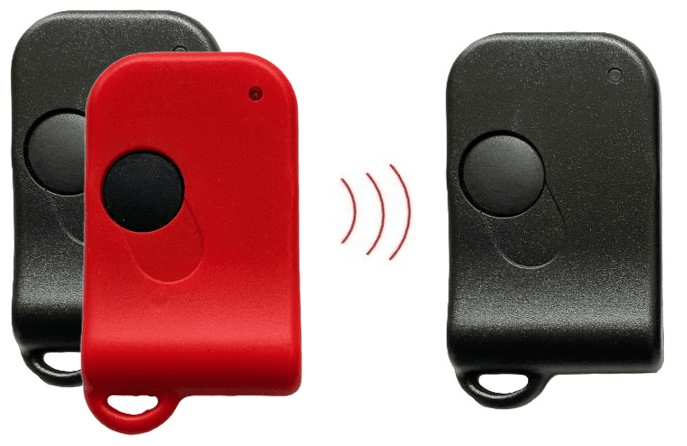


*** NEW! *** F2 Smart Fob for Ferrari 360 - NO PROGRAMMING REQUIRED!
$299.95
The "Programming" Problem
All OEM fobs must be programmed before they can be used. This requires the vehicle PIN and a fairly involved sequence of precisely timed ignition key operations. It also requires three fobs, even if your goal is simply to add a single spare.
Without the PIN, in-car programming is not possible. Prior to the F2, owners in this situation had little choice but to remove and ship their immobilizer to a specialty shop for programming, incurring additional cost, downtime, and risk of loss or damage in transit. As a result, many continue driving with only a single fob. This can be an expensive gamble: when the fob fails, the result is often a flatbed ride, immobilizer service, and a substantial repair bill.
That's All Changed
The F2 is designed to eliminate the barriers to obtaining a backup fob. No PIN is required, no immobilizer removal is necessary, and no trip to a specialty shop is involved. Simply create your backup in seconds from the comfort of your home. The process is completely DIY and requires no technical skill. Best of all, if you only need one backup fob, you can avoid the expense of purchasing an entire three-fob replacement set.
What Makes the F 2 Different?
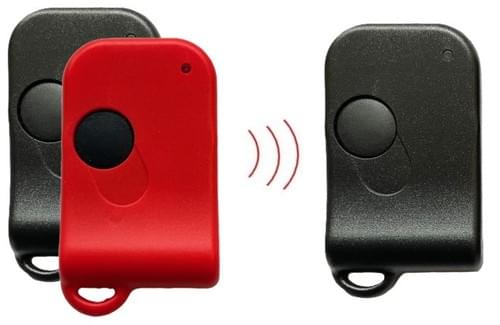
With factory OEM fobs, the programming process pairs the fob directly to the immobilizer. The F2 takes a completely different approach: instead of learning from the immobilizer, it learns from an existing working fob (donor).
Because the donor has already been programmed to the vehicle, the F2 can capture the information it needs directly from that fob. This bypasses the traditional programming process, eliminating the need for a PIN, timed ignition-key procedures, or immobilizer removal.
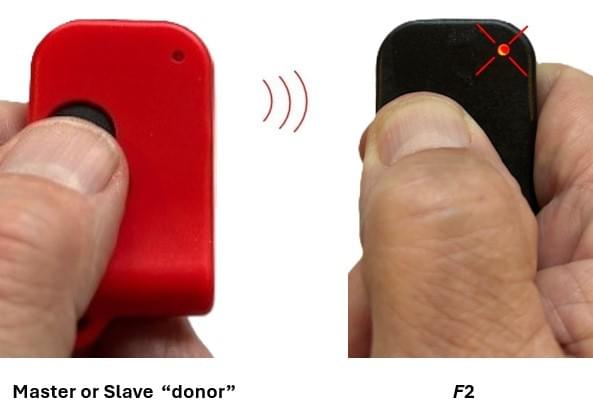
Setting up an F2 couldn't be easier. Simply place the F2 next to any master or slave "donor" fob and press both buttons until the LED on the F2 begins flashing (see video). In 10 seconds, you'll have a fully functional backup fob.
Bonus: If you also own a Porsche 993, the same F2 can be configured to operate either vehicle, making it a convenient spare for both cars!
The F2 is powered by a lithium coin cell that eliminates the leaky 12V alkaline battery and finicky terminals that corrode and loosen. The lithium's 10-year shelf life and 30,000+ operations promise long life and easy maintenance.
How do I use the F 2?
Just like an OEM fob! Once configured, one press locks the car and one press unlocks it.
If you switch from using the donor to using the F2 (or vice versa), inform the immobilizer by pressing the new fob's button four times near the vehicle. This only needs to be done when switching fobs. You can switch back and forth whenever you want, but the F2 is best suited in situations where one fob serves as the primary and the other is kept as a backup.
The F2 comes in two frequencies: 315MHz (all North American) and 433MHz (most RoW). Order the one that matches your system.
Not sure which to order?
Look at the label on the back of your OEM fob case. If you see "RK116" or "RKY116" you have a 315MHz system. If you see "RK114" or "RKY114" you have a 433MHz system. If there is no label, open the fob and look at the round metal can. On 315MHz fobs it's normally labeled "R2622" or "RP1239". On 433MHz fobs it's normally labeled "R2632". If you have any questions, contact us before ordering.

Get the F2 User's Guide in the Downloads section.
